继上一次后端部署,从 ECS 迁移到 EC2,配置 PostgreSQL 数据库、域名绑定、SSL 证书和 Nginx 反向代理的全过程。
配置 EC2
新建 key-pair(一次就够了,点击创建会自动下载到电脑,复制保存到~/.ssh/文件夹)
新建 instance
Name, ubuntu, t2.micro, key-pair, SSH_HTTPS_HTTP -> Launch instance
本地登陆服务器
- EC2 找到 IP 地址
- 打开本地 terminal,输入
ssh -i ~/.ssh/kp-mac.pem ubuntu@your ipaddress其中 kp-mac.pem 是下载的 key-pair
安装 docker
新建 compose.yaml 文件,copy 内容过来
运行 sudo docker compose up
配置 EC2 过程中遇到的问题
sqlserver 太大,申请的 ubuntu 跑不动
解决:换用 postgress,删除 ubuntu 中运行 docker compose up 下载的 image 和容器
1
2
3
4
5
6
docker images # 列出镜像
docker stop image. # 停止正在运行的镜像
docker rmi <image> # 删除不需要的镜像
docker ps -a # 列出所有容器
docker rm <container> # 删除不需要的容器换用 postgress,本地测试报错
FATAL: role “postgres” does not exist
environment 添加
- PGUSER=postgresNpgsql.PostgresException (0x80004005): 42883: function getdate() does not exist
https://stackoverflow.com/questions/2880683/no-getdate-function-in-enterprisedb-postgresql
把 get date() 改为 now()
System.ArgumentException: Cannot write DateTime with Kind=Unspecified to PostgreSQL type ‘timestamp with time zone’, only UTC is supported. Note that it’s not possible to mix DateTimes with different Kinds in an array, range, or multirange. (Parameter ‘value’)
添加
AppContext.SetSwitch("Npgsql.EnableLegacyTimestampBehavior", true);Error NU1605 Detected package downgrade
https://stackoverflow.com/questions/50286990/error-nu1605-detected-package-downgrade
https://www.nuget.org/packages/Npgsql.EntityFrameworkCore.PostgreSQL/8.0.8
安装的 postgress 版本太高,删除重新安装与 efcore 一个版本,8.0.8
换用 postgress,服务器测试报错
the “POSTGRES_USER” variable is not set. Defaulting to a blank string.
这是因为
healthcheck使用的${POSTGRES_USER}没有解析到具体值。Docker Compose 不会自动解析.env文件,除非你明确指定或确保环境变量在运行时被传递。修改${POSTGRES_USER}为具体的变量名
manifest for ella0110/trillobackend:20250115.8 not found
说明远程仓库没找到对应的版本,本地 build 之后需要 push 到 docker hub
1
2
docker build -t ella0110/trillobackend:20250115.8 .
docker push ella0110/trillobackend:20250115.8
ubuntu 正常跑起来 docker compose 后,配置 instance 的端口
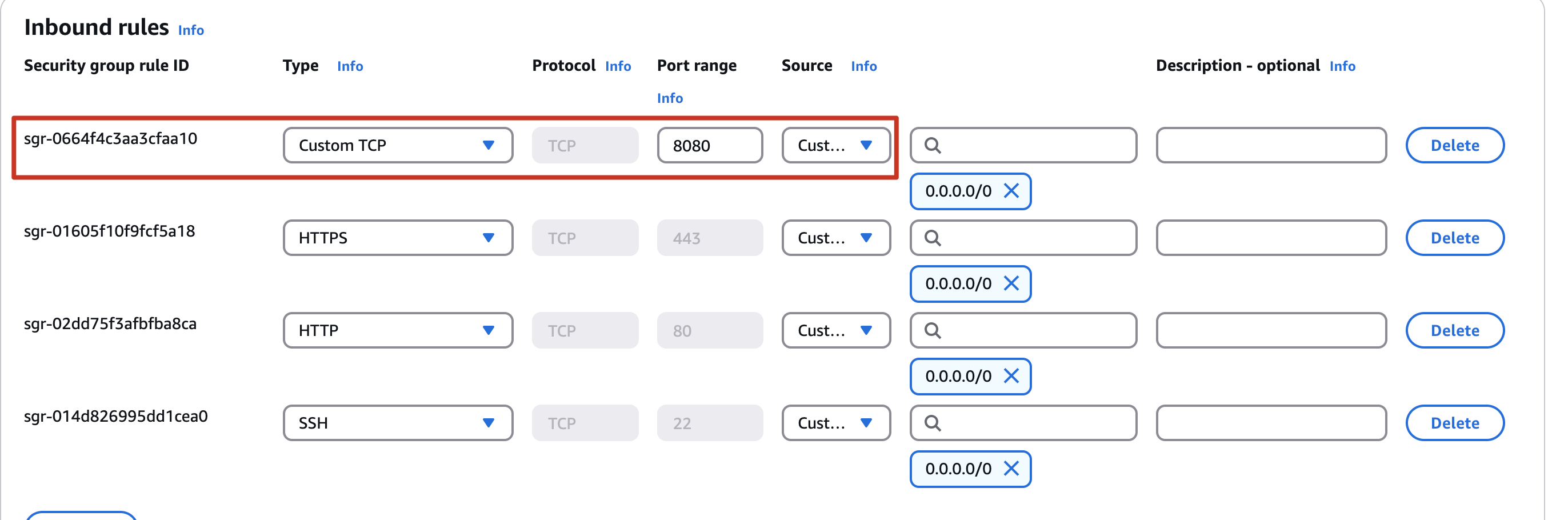
instance -> networking -> network interface ->左滑到 Security group -> edit inbound rules -> add port 8080
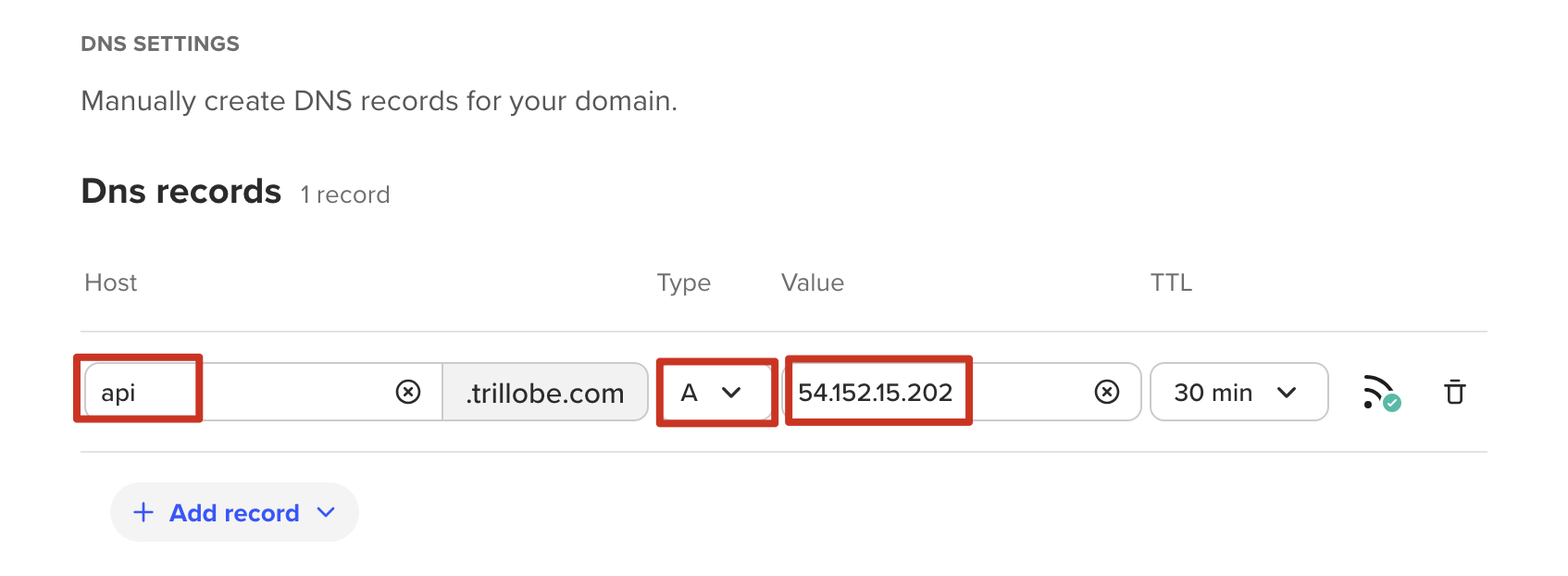
配置域名链接到 EC2 的 ip
点击 library ->Dns Tools -> Domain Portfolio -> 点击 domain -> Nameserves&DNS -> add DNS records
安装 nginx
https://www.digitalocean.com/community/tutorials/how-to-install-nginx-on-ubuntu-20-04
1 | sudo apt update |
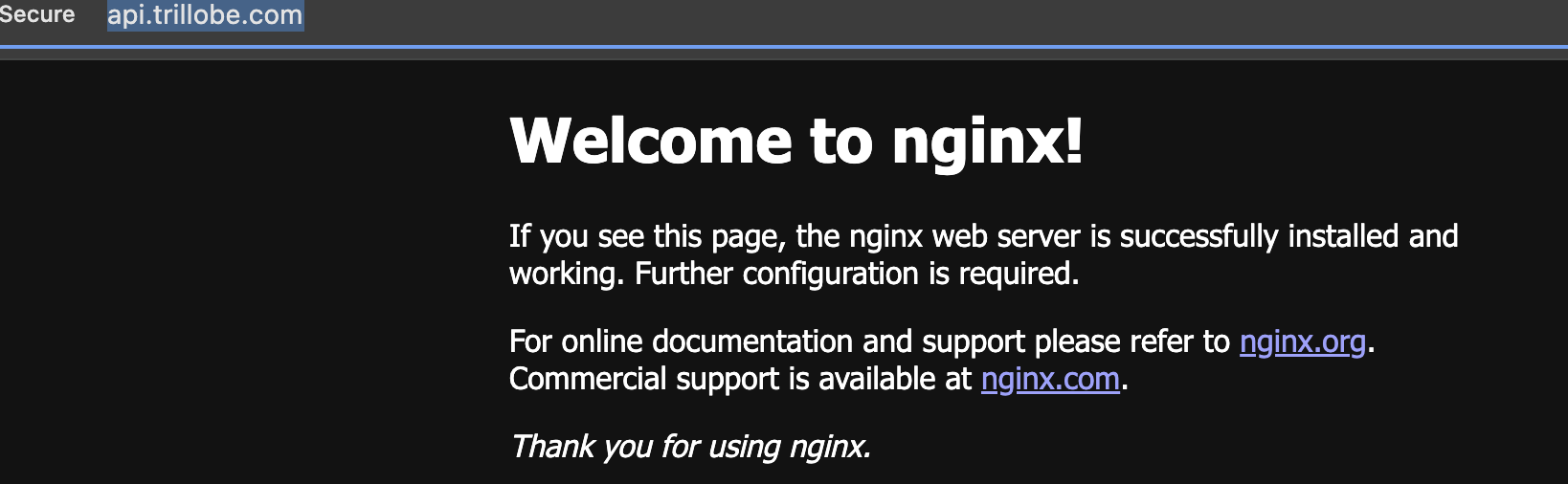
安装完成后打开 http://api.trillobe.com/得到
配置证书 let’s encrypt -> with shell access
https://certbot.eff.org/instructions?ws=nginx&os=pip
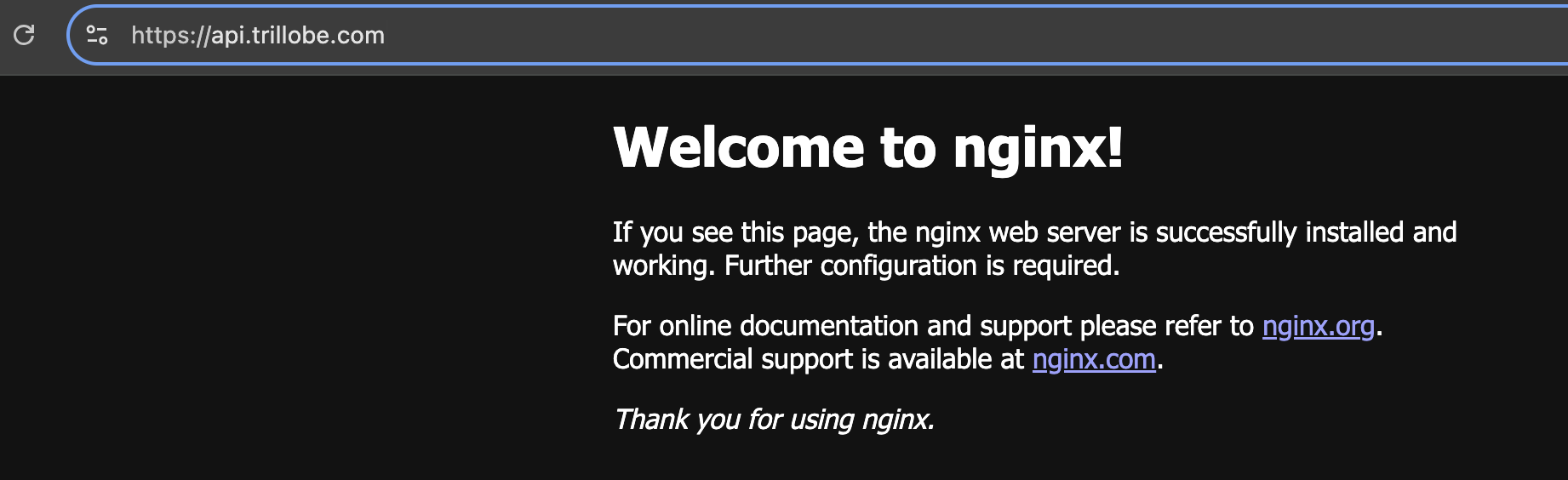
完全按照这个链接步骤在服务器中安装,最后生效后 http 会变为 https,Not Secure 的标识也会消失
配置端口连接 nginx
cd
/etc/nginx/sites-enabled修改 default 文件,添加以下代码到 443 端口
https://serverfault.com/questions/1077260/nginx-how-to-forward-8080-to-80
执行
sudo nginx -tsudo nginx -s reload, https://www.api.trillobe.com/ping即可生效1
2
3
4
5
6
7server {
server_name api.trillobe.com;
location / {
proxy_pass http://localhost:8080/;
}
}
1 |
|