掌握 React TailWind CSS Next.js

之前有学习过 React,Tailwind CSS 和 Next.js,也用它们写过一些项目,但是总是感觉不系统不规范,因此重新学习并记录完整笔记,持续更新中…

React Course

Basic Demo

Question

  1. 什么是 JSX

  2. 怎么使用 useState,怎么改变值,怎么计数?

  3. 怎么使用 useEffect,react 的 hook 怎么理解,怎么使用。

    轻松学会 React 钩子:以 useEffect() 为例

    A Complete Guide to useEffect

  4. 怎么 fetch API,怎么将 API 的数据转 json

  5. 怎么连接函数与 button 事件

  6. HTML 中代表什么?

  7. 怎么使用 react 的函数组件,如何传值

  8. 如何实现纯 JavaScript 和 Pure React(不借助框架)实现?

Code

常规 React 版本

1
2
3
4
5
6
7
8
9
10
11
12
13
14
15
16
17
18
19
20
21
22
23
24
25
26
27
28
29
30
31
32
33
import { useEffect, useState } from "react";

export default function App() {
const [advice, setAdvice] = useState("");
const [count, setCount] = useState(0);

async function getAdvice() {
const res = await fetch("https://api.adviceslip.com/advice");
const data = await res.json();
setAdvice(data.slip.advice);
setCount((c) => c + 1);
}

useEffect(function () {
getAdvice();
}, []);

return (
<div>
<h1>{advice}</h1>
<button onClick={getAdvice}>Get advice</button>
<Message count={count} />
</div>
);
}

function Message(props) {
return (
<p>
You have read <strong>{props.count}</strong> pieces of advice
</p>
);
}

纯 JavaScript 版本

1
2
3
4
5
6
7
8
9
10
11
12
13
14
15
16
17
18
19
20
21
22
23
24
25
26
27
28
29
30
31
32
33
34
35
36
37
38
39
40
41
42
<!DOCTYPE html>
<html lang="en">
<head>
<meta charset="UTF-8" />
<meta name="viewport" content="width=device-width, initial-scale=1.0" />
<meta http-equiv="X-UA-Compatible" content="ie=edge" />
<title>Vanilla JS Advice</title>
</head>
<body>
<h1 class="advice"></h1>
<button class="btn">Get advice</button>
<p>You have read <strong class="count"></strong> pieces of advice</p>

<script>
// Manually selecting DOM elements (which require a class or ID in markup)
const adviceEl = document.querySelector(".advice");
const btnEl = document.querySelector(".btn");
const countEl = document.querySelector(".count");

const getAdvice = async function () {
const res = await fetch("https://api.adviceslip.com/advice");
const data = await res.json();

// Updating values
advice = data.slip.advice;
count = count + 1;

// Manually updating DOM elements
countEl.textContent = count;
adviceEl.textContent = advice;
};

// Setting initial values
let count = 0;
let advice;
getAdvice();

// Attaching an event listener
btnEl.addEventListener("click", getAdvice);
</script>
</body>
</html>

Pure React 版本

1
2
3
4
5
6
7
8
9
10
11
12
13
14
15
16
17
18
19
20
21
22
23
24
25
26
27
28
29
30
31
32
33
34
35
36
37
38
39
40
41
42
43
44
45
<!DOCTYPE html>
<html lang="en">
<head>
<meta charset="UTF-8" />
<meta http-equiv="X-UA-Compatible" content="IE=edge" />
<meta name="viewport" content="width=device-width, initial-scale=1.0" />
<title>Hello React!</title>
</head>
<body>
<div id="root"></div>

<script
src="https://unpkg.com/react@18/umd/react.development.js"
crossorigin
></script>
<script
src="https://unpkg.com/react-dom@18/umd/react-dom.development.js"
crossorigin
></script>

<script>
function App() {
// const time = new Date().toLocaleTimeString();
const [time, setTime] = React.useState(
new Date().toLocaleTimeString()
);

React.useEffect(function () {
setInterval(function () {
setTime(new Date().toLocaleTimeString());
}, 2000);
}, []);

return React.createElement(
"header",
null,
`Hello React! It's ${time}`
);
}

const root = ReactDOM.createRoot(document.getElementById("root"));
root.render(React.createElement(App));
</script>
</body>
</html>

Fundemental

Document

Official Doc

You Might Not Need an Effect

Removing Effect Dependencies

Built-in React Hooks

unofficial Doc

A Complete Guide to useEffect

Tools or Framework

CRA & Vite

需要好好搜集资料总结一下。。。

CRA

好处:集成了 ESLint、Prettier、Jest 等配置

坏处:缓慢而过时

适用于教程使用,不适合现实中大型应用使用

Vite

好处:快

坏处:需要手动配置很多,比如 ESLint、Prettier、Jest 等

适用于现实中前端开发使用

Next.js & Remix

需要好好搜集资料总结一下。。。

使用 CRA 创建第一个 project

在 terminal 运行下面的命令,会自动创建一个文件夹名为:your-project-name

1
npx create-react-app your-project-name

打开该项目,会发现包含目录结构已被初始化:(包含已安装的依赖、JS 文件、HTML 文件,自动生成的首页)
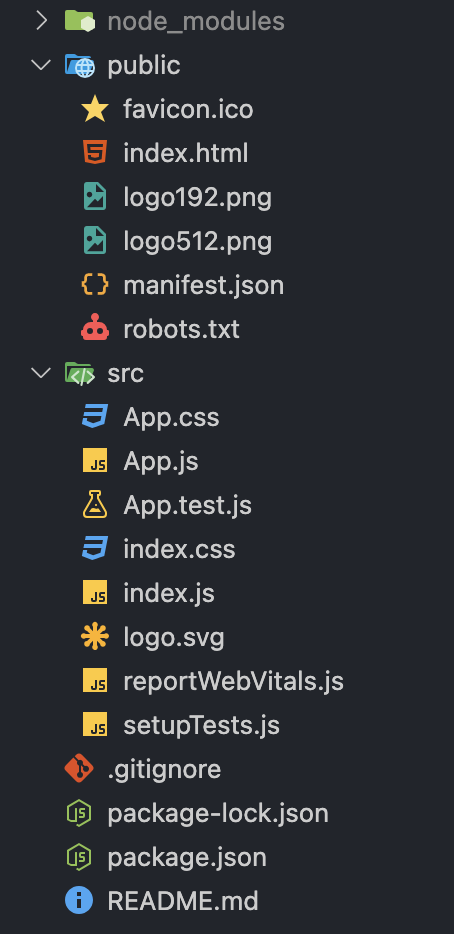
image-20250426151023712

此时可以直接输入npm start 运行该项目,会自动跳转浏览器打开初始页面,如下图
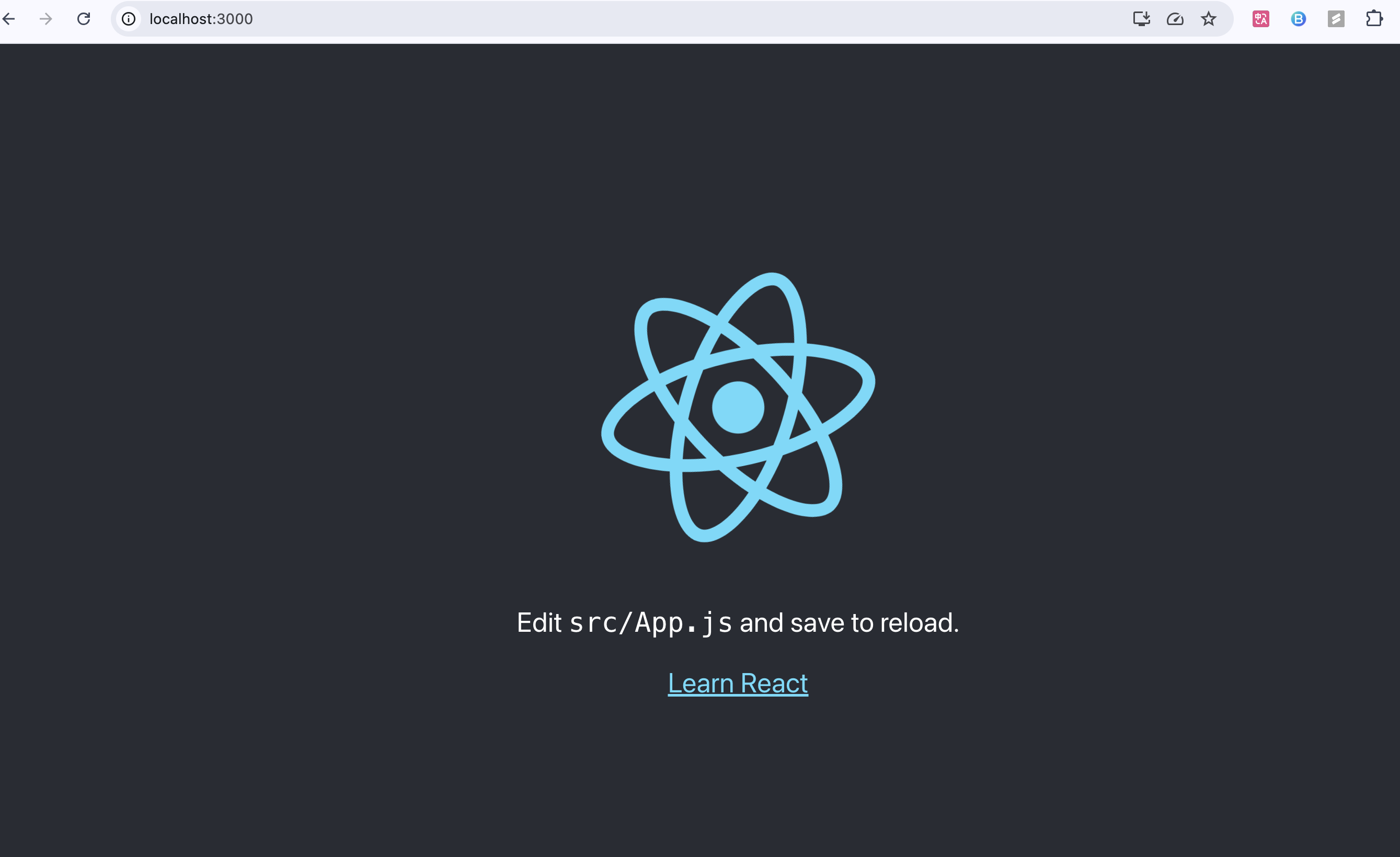
image-20250426151148779

Basic Javascript

解构 Object 和 Array

1
2
3
4
5
6
7
8
9
10
11
12
13
14
15
16
17
18
const books = {
id: 1,
title: "The Lord of the Rings",
publicationDate: "1954-07-29",
author: "J. R. R. Tolkien",
genres: [
"fantasy",
"high-fantasy",
"adventure",
"fiction",
"novels",
"literature",
],
};
// Destructuring Objects and Arrays
const { id, title, publicationDate, genres } = books;
const [, , PrimaryGenre, secondaryGenre, ...otherGenres] = genres;
// 'adventure', 'fiction', [ 'novels', 'literature' ]

向 Object 和 Array 添加数据,使用 ... 运算符

1
2
3
4
5
6
7
8
9
10
11
12
const updateBook = { ...books, newDate: "2025-04-25" };
/* {
id: 1,
title: 'The Lord of the Rings',
publicationDate: '1954-07-29',
author: 'J. R. R. Tolkien',
genres: Array(6) [...],
newDate: '2025-04-25'
}
*/
const newGenre = [...genres, "new data"];
// ['fantasy', 'high-fantasy', 'adventure', 'fiction', 'novels', 'literature', 'new data']

字符串中写 js 代码

1
2
3
4
summary = `${title} is a good book, which is published in ${
publicationDate.split("-")[0]
}`;
// 'The Lord of the Rings is a good book, which is published in 1954'

三元运算符

箭头函数

1
2
3
4
5
const getYear = (str) => str.split("-")[0];
等价于;
const getYear = (str) => {
return str.split("-")[0];
};

逻辑运算符 ??

空值合并运算符(??),是 || 运算符的一个特例

|| 运算符当左侧是 0,””, null,undefiened 时返回右侧数据

?? 运算符当左侧是 null, undefiened 时返回右侧数据,不处理 0 和空字符串

Optional chain

可选链运算符(?.),类似于判空操作

Functional Array Method

这些方法不会改变原有 array,而是返回一个新的 array

Map - 根据条件改变值

1
2
3
const x = [1, 2, 3, 4, 5].map((el) => el * 2);
console.log(x);
// [2, 4, 6, 8, 10 ]

Filter - 根据条件筛选,不改变原有值

1
2
3
4
5
6
7
8
const x = [1, 2, 3, 4, 5].filter((el) => el < 5).filter((el) => el % 2 == 0);
console.log(x);
// [2, 4]

// or another example
const longBooks = books
.filter((book) => book.pages < 1000)
.filter((book) => book.hasMovieAdaptation);

Reduce - 根据初始值和逻辑进行运算

1
2
3
x = [1, 2, 3, 4, 5].reduce((sum, el) => sum + el, 1); // 这里的 1 是 sum 的初始值
console.log(x);
// 16

Sort - 根据条件进行排序

1
2
3
4
5
6
7
8
9
10
11
12
13
x = [3, 4, 1, 6, 2];
sortedX = x.sort((a, b) => a - b); // a - b 升序,b - a 降序
console.log(sortedX); // [1, 2, 3, 4, 6]
console.log(x); // [1, 2, 3, 4, 6]

// 如何不改变 x 但输出 x 排序后的内容呢?先 copy x,再排序
x = [3, 4, 1, 6, 2];
sortedX = x.slice().sort((a, b) => a - b); // a - b 升序,b - a 降序
console.log(sortedX); // [1, 2, 3, 4, 6]
console.log(x); // [ 3, 4, 1, 6, 2 ]

// or another example
const sortedByPages = books.slice().sort((a, b) => a.pages - b.pages); // 按照页数对书籍进行升序排列

删除/更新 Array 且不改变原有 Array

删除使用 filter

更新使用 map

1
2
3
4
5
6
7
8
9
10
11
12
13
14
15
// 1) Add book object to array
const newBook = {
id: 6,
title: "Harry Potter and the Chamber of Secrets",
author: "J. K. Rowling",
};
const booksAfterAdd = [...books, newBook];

// 2) Delete book object from array
const booksAfterDelete = booksAfterAdd.filter((book) => book.id !== 3);

// 3) Update book object in the array
const booksAfterUpdate = booksAfterDelete.map((book) =>
book.id === 1 ? { ...book, pages: 1210 } : book
);

Async Method

下面两种写法是等价的

Promise - then

1
hotels = fetch("https://api.trillobe.com/api/hotels").then((res) => res.json());

async - await

1
2
3
4
5
6
async function getHotel() {
const res = await fetch("https://api.trillobe.com/api/hotels");
const data = await res.json();
return data;
}
hotels = getHotel();

Basic react

index.js,webpack 的入口文件是 index.js,所以我们在写 react 项目时,使用它作为入口文件。

Render root component

1
2
3
// render react v18,现在应该已经过时了
const root = ReactDOM.createRoot(document.getElementById("root"));
root.render(<App />);

StrictMode

StrictMode,仅在开发环境下运行,这个组件会额外重新渲染一次额外重新运行一次 Effect额外重新运行一次 refs 回调检查是否使用了已弃用的 API

1
2
3
4
5
6
7
8
9
import { StrictMode } from 'react';
import { createRoot } from 'react-dom/client';

const root = createRoot(document.getElementById('root'));
root.render(
<StrictMode>
<App />
</StrictMode>
);

Debug

修改代码保存后,浏览器没有显示/报错

  1. Check 应用是否在运行/启动状态
  2. 重启应用,重新使用 npm start 启动
  3. 点击浏览器中刷新按钮
  4. vs code 中观察 terminal,浏览器中观察 dev tools - console
  5. 查看浏览器中报错信息,找到问题点,使用 google/stackoverflow 查找解决办法
  6. 使用 eslint,查看 vscode 中 problem tab,针对问题修改
  7. 如果以上都尝试后,没有修复,说明代码有问题,如果有源代码,比如使用 git 的 diff 进行逐行比对,修正 bug

Components